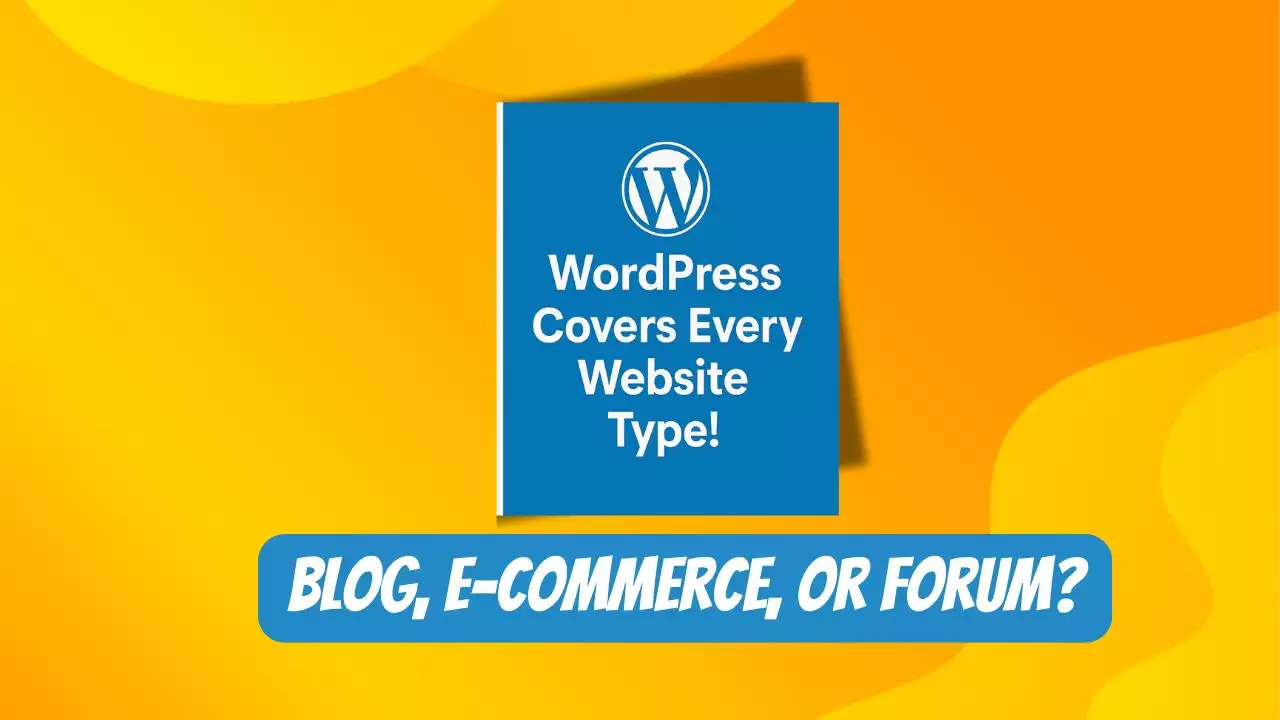
WordPress powers over 43% of websites globally, making it one of the most popular content management systems (CMS) available (WPBeginner). Its flexibility allows users to create a wide range of websites, from simple blogs to complex e-commerce platforms. This guide explores the various types of websites you can build with WordPress and provides a detailed step-by-step process for creating your own website, tailored for beginners and professionals alike.
Types of Websites You Can Build with WordPress
WordPress’s versatility stems from its vast ecosystem of themes and plugins, enabling the creation of diverse website types. Below is a table summarizing common website types, their purposes, and recommended tools
|
Website Type |
Purpose |
Recommended Tools |
|---|---|---|
|
Personal Blog |
Share personal stories, opinions, or knowledge. |
Theme: Neve, Plugin: Yoast SEO |
|
Portfolio |
Showcase creative work like photography, design, or art. |
Theme: Astra, Plugin: Elementor |
|
E-commerce Store |
Sell products online with shopping carts and payment gateways. |
Plugin: WooCommerce, Theme: Storefront |
|
Online Course |
Host and sell educational content or tutorials. |
Plugin: LearnDash, Theme: Education WP |
|
Community Forum |
Facilitate discussions and user interactions. |
Plugin: bbPress, Theme: BuddyPress |
|
Business Website |
Promote services, products, or company information. |
Theme: Divi, Plugin: Contact Form 7 |
|
News/Magazine |
Publish articles or updates regularly. |
Theme: Newspaper, Plugin: WP Super Cache |
|
Knowledge Base/Wiki |
Provide detailed guides or documentation. |
Plugin: WP Knowledge Base, Theme: KnowAll |
|
SaaS Website |
Market software-as-a-service solutions. |
Theme: OceanWP, Plugin: All in One SEO |
|
Social Network |
Build a community with interactive features. |
Plugin: BuddyPress, Theme: Socialize |
These options highlight WordPress’s adaptability, supported by over 11,000 free themes at WordPress.org and plugins like WooCommerce (WooCommerce). Major brands like The Walt Disney Company and Renault also use WordPress, demonstrating its scalability for both small and large projects (CreativeMinds).
See more:
WordPress.com vs WordPress.org: A Beginner’s Guide to Choosing the Right Platform
Step-by-Step Guide to Building a WordPress Website
Creating a WordPress website is accessible even for those without technical expertise. The following steps, compiled from trusted sources like WPBeginner and Bluehost, outline the process:
1. Define Your Website Goal
Start by clarifying your website’s purpose. Are you launching a blog to share insights, an online store to sell products, or a business site to showcase services? This goal determines the features you’ll need, such as contact forms for business sites or product pages for e-commerce.
2. Choose a Domain Name and Hosting
A domain name (e.g., yoursite.com) is your website’s address, typically costing $14.99/year. Register it through providers like Name.com or Bluehost. Hosting stores your site’s data; recommended providers include:
-
Bluehost: Offers one-click WordPress installation and a free domain for the first year, starting at $1.99/month (Bluehost).
-
SiteGround: Optimized for WordPress with fast support (SiteGround).
-
Hostinger: Budget-friendly, ideal for beginners (Hostinger). Choose a hosting plan based on your website’s scale, such as a basic plan for blogs or a premium plan for e-commerce.
3. Install WordPress
Most hosting providers offer a one-click WordPress installer, simplifying setup. For example, Bluehost automatically installs WordPress upon account creation. Alternatively, download WordPress from WordPress.org and follow manual installation instructions. After installation, access your dashboard at yoursite.com/wp-admin.
4. Select a Theme
Themes control your site’s appearance and layout. Choose from free themes like Neve (Neve) or OceanWP (OceanWP) at WordPress.org, or opt for premium themes like Divi (Divi) for advanced customization. Ensure the theme is mobile-friendly, fast-loading, and compatible with your plugins.
5. Create Essential Pages and Posts
Add core pages like “About” and “Contact” using Pages > Add New in the WordPress dashboard. For blogs, create posts via Posts > Add New, organizing them with categories and tags. Use the block editor (Gutenberg) or a page builder like SeedProd (SeedProd) for custom layouts.
6. Customize Your Website
Adjust settings in the WordPress dashboard, such as the site title and tagline (Settings > General). Customize your theme via Appearance > Customize to align with your brand’s colors, fonts, and logo. Create navigation menus under Appearance > Menus to guide visitors.
7. Install Must-Have Plugins
Plugins enhance your website’s functionality. Essential plugins include:
-
All in One SEO: Optimizes for search engines (All in One SEO).
-
WPForms: Creates contact forms (WPForms).
-
MonsterInsights: Tracks analytics (MonsterInsights).
-
WooCommerce: Powers e-commerce sites (WooCommerce). Install plugins via Plugins > Add New, but avoid overloading your site to maintain performance.
Additional Considerations
-
Cost: Building a WordPress site typically costs around $100 for a personal site, including hosting and domain. Business sites may range from $100 to $30,000 annually, depending on complexity (WPBeginner).
-
WordPress.org vs. WordPress.com: WordPress.org is open-source and offers full control, while WordPress.com is a hosted platform with limitations (WPBeginner).
-
No Coding Required: Tools like drag-and-drop builders (e.g., SeedProd) eliminate the need for HTML or CSS knowledge.
Conclusion
WordPress offers unparalleled flexibility for creating diverse websites, from personal blogs to e-commerce stores, supported by a vast array of themes and plugins. The process of building a WordPress website is accessible, involving steps like choosing a domain and hosting, installing WordPress, customizing a theme, and adding plugins. By following this guide and leveraging resources from trusted sources like WPBeginner and Bluehost, you can create a professional, functional website tailored to your needs.

Hi, I’m Nghia Vo: a computer hardware graduate, passionate PC hardware blogger, and entrepreneur with extensive hands-on experience building and upgrading computers for gaming, productivity, and business operations.
As the founder of Vonebuy.com, a verified ecommerce store under Vietnam’s Ministry of Industry and Trade, I combine my technical knowledge with real-world business applications to help users make confident decisions.
I specialize in no-nonsense guides on RAM overclocking, motherboard compatibility, SSD upgrades, and honest product reviews sharing everything I’ve tested and implemented for my customers and readers.