OhhMuaOhhMua
  • Home
  • WordPress
    • Solutions & Troubleshooting
    • Installation & Setup
    • Themes & Plugins
    • Security
  • Tools
    • veo3 prompt generator
  • Our Team
  • Hosting
    • Best Web Hosting
    • Free Web Hosting
    • VPS Hosting
Reading: Discovered – Currently Not Indexed in Google Search Console: What It Means & How to Fix It
Notification Show More
OhhMuaOhhMua
  • WordPress
  • Entry-level Builds
  • High-end Builds
  • Mid-range Builds
  • Hardware Tips
  • Software Tips
Search
  • Home
  • WordPress
    • Installation & Setup
    • Security
    • Solutions & Troubleshooting
    • Themes & Plugins
  • Tools
    • veo3 prompt generator
  • Our Team
    • Hosting
Follow US
Copyright © 2024 ohhmua. All rights reserved.
OhhMua > Blog > WordPress > Solutions & Troubleshooting > Discovered – Currently Not Indexed in Google Search Console: What It Means & How to Fix It
Solutions & Troubleshooting

Discovered – Currently Not Indexed in Google Search Console: What It Means & How to Fix It

Admin (Nghia Vo)
Last updated: May 25, 2025 3:30 pm
Admin (Nghia Vo)
Share
5 Min Read
Discovered – Currently Not Indexed in Google Search Console
SHARE
Contents
Google Search Console Indexing Issue: What It Is and How to Fix ItCommon Reasons for “Discovered – Currently Not Indexed”1. Low-Quality Content2. Technical Issues3. Poor Internal Linking4. Slow Page Load Speed5. Limited Crawl BudgetHow to Fix It1. Improve Content Quality2. Check for Technical Errors3. Strengthen Internal Linking4. Optimize Page Speed5. Submit Indexing RequestsConclusion

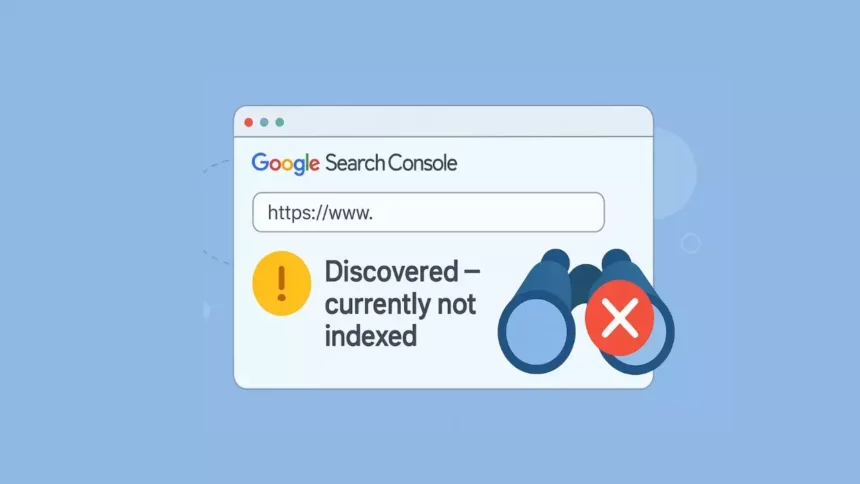
When you see the status “Discovered – currently not indexed” in Google Search Console, it means that Google is aware of your URL but hasn’t crawled or indexed it yet. This often happens when Google is prioritizing other URLs or encounters obstacles accessing your page.

Google Search Console Indexing Issue: What It Is and How to Fix It

Common Reasons for “Discovered – Currently Not Indexed”

1. Low-Quality Content

Pages with thin, duplicate, or low-value content may be skipped during indexing. If your page doesn’t offer unique or useful information, Google may decide not to index it.

Example:
An online electronics store in the U.S. creates dozens of product pages, each containing only the product name and a short, generic description. These pages offer little value beyond what’s already available on other sites, so Google might ignore them.
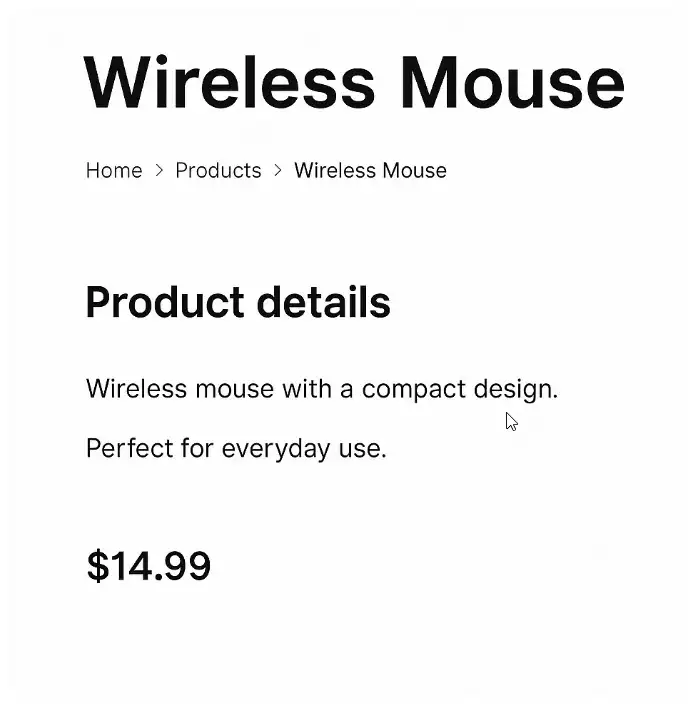
each containing only the product name and a short

2. Technical Issues

Problems like errors in the robots.txt file, “noindex” meta tags, or unclear site structure can prevent Google from crawling your pages.

Example:
A consulting agency in London accidentally blocks key service pages in its robots.txt file. As a result, Google is aware of the URLs from the sitemap but is unable to access and index them.

3. Poor Internal Linking

Pages that are not linked from other areas of your website may not be seen as important, making it harder for Google to crawl and prioritize them.

Example:
A blog in Canada publishes a new article but forgets to link it from the homepage, category pages, or other posts. Google may discover the URL via the sitemap, but without internal links, it may not consider the page significant enough to index.

4. Slow Page Load Speed

If your pages load slowly, Googlebot may abandon the crawl before finishing. Page speed is not just about SEO—it also affects user experience and engagement.

Example:
A photography portfolio in Australia features high-resolution images but doesn’t compress them. The result: slow-loading pages that Googlebot may delay indexing or skip entirely.

5. Limited Crawl Budget

Large websites with thousands of URLs may exceed Google’s allocated crawl budget, meaning not all pages get crawled or indexed.

Example:
An international news site publishes hundreds of articles daily. Without proper crawl management (like internal linking or sitemap segmentation), Google may delay or skip indexing some new articles due to budget constraints.

How to Fix It

1. Improve Content Quality

Ensure every page offers unique, relevant, and valuable content. Avoid thin or duplicate pages.

Tip:
Instead of just listing a product like “Wireless Mouse – Black,” include a detailed description, use cases, specifications, comparison with similar models, and customer reviews.

2. Check for Technical Errors

Use tools like Google Search Console or Screaming Frog to detect issues in robots.txt, meta tags, or overall site structure.

Checklist:

  • Don’t block important URLs in robots.txt

  • Remove unnecessary “noindex” tags

  • Ensure the page returns a valid 200 HTTP status code

3. Strengthen Internal Linking

Link to new or unindexed pages from your homepage, categories, or related content to signal importance to Google.

Example:
If you publish a new service page, make sure it’s accessible via your site menu, blog posts, or a relevant landing page.

4. Optimize Page Speed

Use tools like Google PageSpeed Insights, GTmetrix, or Lighthouse to test and enhance loading speed.

Quick Fixes:

  • Compress large images

  • Minify CSS/JS files

  • Use browser caching

  • Consider a CDN for global users

5. Submit Indexing Requests

After resolving content and technical issues, use the URL Inspection Tool in Google Search Console to request indexing.

Note:
Submitting a URL does not guarantee immediate indexing, but it can help bring it to Google’s attention—especially if the content is new or recently improved.

Conclusion

The “Discovered – currently not indexed” status is a signal—not a penalty. It means Google has seen your URL but hasn’t committed to indexing it yet. This could be due to content quality, technical restrictions, weak internal linking, slow performance, or crawl budget limitations.

Understanding the causes and applying the fixes above will help ensure your pages get indexed, increasing visibility and improving SEO performance.

Related articles

headless vs traditional woocommerce site

Headless vs Traditional WooCommerce: Which Architecture Wins?

Can AI Agents Safely Access Your WordPress Site

Can AI Agents Safely Access Your WordPress Site?

is wordpress dead 2026

Is WordPress Dead or Still Powering the Web in 2026?

wordpress 6.9.2 disaster

WordPress 6.9.2 Disaster: Why You Should Never Auto-Update Immediately

480520387 657957633334779 6814038772835954285 n
Admin (Nghia Vo)

Hi, I’m Nghia Vo: a computer hardware graduate, passionate PC hardware blogger, and entrepreneur with extensive hands-on experience building and upgrading computers for gaming, productivity, and business operations.
As the founder of Vonebuy.com, a verified ecommerce store under Vietnam’s Ministry of Industry and Trade, I combine my technical knowledge with real-world business applications to help users make confident decisions.

I specialize in no-nonsense guides on RAM overclocking, motherboard compatibility, SSD upgrades, and honest product reviews sharing everything I’ve tested and implemented for my customers and readers.
You Might Also Like

Headless vs Traditional WooCommerce: Which Architecture Wins?

Can AI Agents Safely Access Your WordPress Site?

Is WordPress Dead or Still Powering the Web in 2026?

WordPress 6.9.2 Disaster: Why You Should Never Auto-Update Immediately

Headless WordPress Explained: Is It Right for Your Site?

TAGGED:#GoogleIndex#GSC#SEO
Share This Article
Facebook Twitter Email Print
By Admin (Nghia Vo)
Follow:
Hi, I’m Nghia Vo: a computer hardware graduate, passionate PC hardware blogger, and entrepreneur with extensive hands-on experience building and upgrading computers for gaming, productivity, and business operations. As the founder of Vonebuy.com, a verified ecommerce store under Vietnam's Ministry of Industry and Trade, I combine my technical knowledge with real-world business applications to help users make confident decisions. I specialize in no-nonsense guides on RAM overclocking, motherboard compatibility, SSD upgrades, and honest product reviews sharing everything I’ve tested and implemented for my customers and readers.
Leave a comment Leave a comment

Leave a Reply Cancel reply

Your email address will not be published. Required fields are marked *

Trending

Customizing Canonical Tags in WordPress
Solutions & Troubleshooting

Step-by-Step Tutorial: Customizing Canonical Tags in WordPress

September 15, 2024
Internet Connected But Can't Access Some Websites
Software Tips

Internet Connected But Can’t Access Some Websites: Causes and Fixes

September 25, 2020
How to Quickly Delete Spam Comments Using WP CLI with Terminal in WordPress
Solutions & Troubleshooting

Delete Thousands of Spam Comments in 1 Second with WP CLI

September 12, 2024
Create a Simple Incrementing Number Effect with HTML and JavaScript 2
Solutions & Troubleshooting

Create a Simple Incrementing Number Effect with HTML and JavaScript

September 17, 2024
How to Install WordPress on cPanel
Installation & Setup

How to Install WordPress on cPanel: A Beginner-Friendly Guide

April 24, 2025
Headless WordPress Explained
Solutions & Troubleshooting

Headless WordPress Explained: Is It Right for Your Site?

March 10, 2026
Previous Next

You Might Also Like

WordPress 7.0 Finally Fixes 20 Years of Painful Collaboration Problems
Solutions & Troubleshooting

WordPress 7.0 Finally Fixes 20 Years of Painful Collaboration Problems

Admin (Nghia Vo) Admin (Nghia Vo) March 9, 2026
HETZNER HOSTING
Solutions & Troubleshooting

Why Hetzner Might Not Be the Right Choice for Beginners

Admin (Nghia Vo) Admin (Nghia Vo) March 7, 2026
wordpress speed 2026
Solutions & Troubleshooting

WordPress Speed in 2026: The Only Hosting Checklist You Need

Admin (Nghia Vo) Admin (Nghia Vo) March 7, 2026
What Happens When Web Hosting Companies Get Acquired
Solutions & Troubleshooting

What Happens When Web Hosting Companies Get Acquired

Admin (Nghia Vo) Admin (Nghia Vo) March 6, 2026
wordpress shortcode 1
Solutions & Troubleshooting

WordPress Shortcodes: Complete Guide to Dynamic Content

Admin (Nghia Vo) Admin (Nghia Vo) March 4, 2026
How to Make Google Understand and Value Your Content
Solutions & Troubleshooting

SEO in the Age of AI: How to Make Google Understand and Value Your Content

Admin (Nghia Vo) Admin (Nghia Vo) June 5, 2025
Previous Next
newsletter featured

Always Stay Up to Date

Subscribe to our newsletter to get our newest articles instantly!

Follow US on Social Media

Facebook Youtube Steam Twitch Unity

Copyright © 2024 ohhmua. All rights reserved.

OhhMua

Information

  • About
  • Terms & Conditions
  • Privacy Policy
  • Editorial Standards
Welcome Back!

Sign in to your account

Lost your password?