OhhMuaOhhMua
  • Home
  • WordPress
    • Solutions & Troubleshooting
    • Installation & Setup
    • Themes & Plugins
    • Security
  • Tools
    • veo3 prompt generator
  • Our Team
  • Hosting
    • Best Web Hosting
    • Free Web Hosting
    • VPS Hosting
Reading: My Google Discover traffic skyrocketed after I did these 10 things
Notification Show More
OhhMuaOhhMua
  • WordPress
  • Entry-level Builds
  • High-end Builds
  • Mid-range Builds
  • Hardware Tips
  • Software Tips
Search
  • Home
  • WordPress
    • Installation & Setup
    • Security
    • Solutions & Troubleshooting
    • Themes & Plugins
  • Tools
    • veo3 prompt generator
  • Our Team
    • Hosting
Follow US
Copyright © 2024 ohhmua. All rights reserved.
OhhMua > Blog > WordPress > Solutions & Troubleshooting > My Google Discover traffic skyrocketed after I did these 10 things
Solutions & Troubleshooting

My Google Discover traffic skyrocketed after I did these 10 things

Admin (Nghia Vo)
Last updated: May 14, 2025 3:02 pm
Admin (Nghia Vo)
Share
5 Min Read
My Google Discover traffic skyrocketed after I did these 10 things
SHARE
Contents
1. Use High-Quality, Eye-Catching Images2. Craft Emotion-Driven and Curiosity-Inducing Headlines3. Avoid NSFW or Sensitive Content4. Focus on Topics Users Actually Care About5. Optimize for Mobile User Experience6. Keep Content Fresh and Relevant7. Support the “Follow” Feature with RSS and Structured Data8. Follow E-E-A-T Principles (Experience, Expertise, Authoritativeness, Trustworthiness)9. Avoid Misleading or Sensational Content10. Track and Analyze Content PerformanceFinal Thoughts

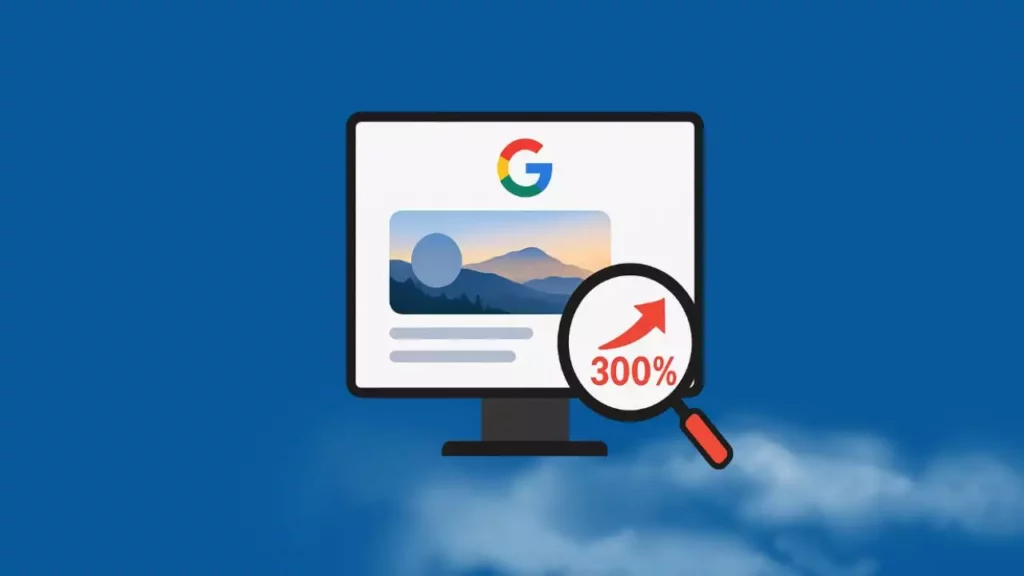
Google Discover is a content distribution platform that recommends articles based on user interests, not traditional keyword searches. To make your content stand out and appear on Discover, apply these 10 optimization strategies:
My Google Discover traffic skyrocketed after I did these 10 things

1. Use High-Quality, Eye-Catching Images

Google Discover favors content with large, attractive images (at least 1200px wide). Avoid using logos as thumbnails and ensure Google is allowed to display the full-sized image via proper meta tags. Original or unique images that haven’t appeared elsewhere on Google are prioritized.

Example:
If you’re writing an article like “Top 5 Coffee Shops in Brooklyn,” include your own high-resolution photo of a stylish café corner or a beautifully presented latte – instead of using stock photos or blurry images.

2. Craft Emotion-Driven and Curiosity-Inducing Headlines

Create headlines that trigger curiosity or evoke emotion — without crossing the line into clickbait, which Google penalizes. Your content should tell stories, offer unique insights, or tap into trending topics.

Example:

  • ❌ Not optimized: “Tips for Visiting Paris”

  • ✅ Optimized: “You Won’t Believe What Locals Say About Visiting Paris in Winter”

3. Avoid NSFW or Sensitive Content

Google Discover promotes safe-for-work content. Even if your article is informative, using provocative imagery (like models in revealing clothing) might disqualify it from being featured.

Example:
If you’re covering skincare routines, use clean, professional images instead of suggestive photos, even if they are technically relevant.

4. Focus on Topics Users Actually Care About

Use tools like Google Trends, BuzzSumo, or your own analytics to find trending or seasonal topics that align with your audience’s interests.

Example:
Instead of writing about “The History of Christmas Trees,” consider “5 Modern Christmas Tree Decor Trends for 2025” — it’s more timely and engaging.

5. Optimize for Mobile User Experience

Since Discover is mostly accessed via mobile devices, ensure your website is fast, mobile-responsive, and visually clear on small screens.

Example:
Make sure buttons like “Read More”, image galleries, and text blocks display neatly on smartphones — no cut-off elements or zoom-required layouts.

6. Keep Content Fresh and Relevant

Freshness matters. Google Discover often prefers recently updated content. Refresh older posts with current information, update the publish date, and adjust the focus to suit recent trends.

Example:
Update “Top Fitness Gadgets of 2023” to “Best Smart Fitness Gear to Try in 2025” — and add new gadgets or reviews.

7. Support the “Follow” Feature with RSS and Structured Data

Enable RSS feeds and use structured data like Article or Recipe schema to help Google understand your content better and boost its visibility in Discover.

Example:
If you’re using WordPress, enable the RSS feed and implement structured data using plugins like Yoast SEO or Rank Math.

8. Follow E-E-A-T Principles (Experience, Expertise, Authoritativeness, Trustworthiness)

Google Discover favors trustworthy and authoritative content. Showcase your credentials, experience, or background in the topic to build credibility.

Example:
If you’re writing about gardening tips, mention that you’re a certified horticulturist or a passionate gardener with 10 years of experience — and include real photos of your own garden.

9. Avoid Misleading or Sensational Content

Your content should be honest, balanced, and fact-checked. Avoid exaggerated claims or content that could mislead readers.

Example:
Don’t use headlines like “Coconut Oil Cures All Diseases” — instead write “What Science Says About Coconut Oil’s Health Benefits” with links to credible sources.

10. Track and Analyze Content Performance

Use Google Search Console to monitor which posts are being shown on Discover. Then, create more related content based on those successful topics.

Example:
If your article “Best Apps for Learning Spanish” is trending on Discover, consider writing follow-ups like “Top Podcasts to Improve Your Spanish Listening Skills” or “10 Slang Terms You’ll Hear in Mexico City.”

Final Thoughts

Google Discover is a powerful traffic source — but succeeding on it requires understanding how the platform works and aligning your content strategy accordingly. Focus on quality, freshness, mobile experience, and emotional storytelling to stand out.

If you found this guide helpful, share it with your fellow bloggers or content creators!

480520387 657957633334779 6814038772835954285 n
Admin (Nghia Vo)

Hi, I’m Nghia Vo: a computer hardware graduate, passionate PC hardware blogger, and entrepreneur with extensive hands-on experience building and upgrading computers for gaming, productivity, and business operations.
As the founder of Vonebuy.com, a verified ecommerce store under Vietnam’s Ministry of Industry and Trade, I combine my technical knowledge with real-world business applications to help users make confident decisions.

I specialize in no-nonsense guides on RAM overclocking, motherboard compatibility, SSD upgrades, and honest product reviews sharing everything I’ve tested and implemented for my customers and readers.
You Might Also Like

Headless vs Traditional WooCommerce: Which Architecture Wins?

Can AI Agents Safely Access Your WordPress Site?

Is WordPress Dead or Still Powering the Web in 2026?

WordPress 6.9.2 Disaster: Why You Should Never Auto-Update Immediately

Headless WordPress Explained: Is It Right for Your Site?

TAGGED:#ContentMarketingBlogGrowthTipsGoogleDiscoverSEO
Share This Article
Facebook Twitter Email Print
By Admin (Nghia Vo)
Follow:
Hi, I’m Nghia Vo: a computer hardware graduate, passionate PC hardware blogger, and entrepreneur with extensive hands-on experience building and upgrading computers for gaming, productivity, and business operations. As the founder of Vonebuy.com, a verified ecommerce store under Vietnam's Ministry of Industry and Trade, I combine my technical knowledge with real-world business applications to help users make confident decisions. I specialize in no-nonsense guides on RAM overclocking, motherboard compatibility, SSD upgrades, and honest product reviews sharing everything I’ve tested and implemented for my customers and readers.
Leave a comment Leave a comment

Leave a Reply Cancel reply

Your email address will not be published. Required fields are marked *

Trending

Title and Meta Description Mismatch on Google
Solutions & Troubleshooting

Title and Meta Description Mismatch on Google[How to fix]

September 25, 2024
How to Increase the Star Ratings for KK Star Ratings 1
Solutions & Troubleshooting

How to Increase the Star Ratings for KK Star Ratings

September 8, 2024
Cannot Fetch Sitemap in Google Search Console
Solutions & Troubleshooting

Cannot Fetch Sitemap in Google Search Console

May 27, 2025
Fixing hasMerchantReturnPolicy and shippingDetails error for WooCommerce
Solutions & Troubleshooting

Fixing hasMerchantReturnPolicy and shippingDetails error for WooCommerce

September 14, 2024
How to Install WordPress on cPanel
Installation & Setup

How to Install WordPress on cPanel: A Beginner-Friendly Guide

April 24, 2025
Guide to Creating a Beautiful Promotion Notification Box for Your Website
Solutions & Troubleshooting

How to Create a Stunning Notification Box for Your Website

September 20, 2024
Previous Next

You Might Also Like

WordPress 7.0 Finally Fixes 20 Years of Painful Collaboration Problems
Solutions & Troubleshooting

WordPress 7.0 Finally Fixes 20 Years of Painful Collaboration Problems

Admin (Nghia Vo) Admin (Nghia Vo) March 9, 2026
HETZNER HOSTING
Solutions & Troubleshooting

Why Hetzner Might Not Be the Right Choice for Beginners

Admin (Nghia Vo) Admin (Nghia Vo) March 7, 2026
wordpress speed 2026
Solutions & Troubleshooting

WordPress Speed in 2026: The Only Hosting Checklist You Need

Admin (Nghia Vo) Admin (Nghia Vo) March 7, 2026
What Happens When Web Hosting Companies Get Acquired
Solutions & Troubleshooting

What Happens When Web Hosting Companies Get Acquired

Admin (Nghia Vo) Admin (Nghia Vo) March 6, 2026
wordpress shortcode 1
Solutions & Troubleshooting

WordPress Shortcodes: Complete Guide to Dynamic Content

Admin (Nghia Vo) Admin (Nghia Vo) March 4, 2026
How to Make Google Understand and Value Your Content
Solutions & Troubleshooting

SEO in the Age of AI: How to Make Google Understand and Value Your Content

Admin (Nghia Vo) Admin (Nghia Vo) June 5, 2025
Previous Next
newsletter featured

Always Stay Up to Date

Subscribe to our newsletter to get our newest articles instantly!

Follow US on Social Media

Facebook Youtube Steam Twitch Unity

Copyright © 2024 ohhmua. All rights reserved.

OhhMua

Information

  • About
  • Terms & Conditions
  • Privacy Policy
  • Editorial Standards
Welcome Back!

Sign in to your account

Lost your password?