OhhMuaOhhMua
  • Home
  • WordPress
    • Solutions & Troubleshooting
    • Installation & Setup
    • Themes & Plugins
    • Security
  • Tools
    • veo3 prompt generator
  • Our Team
  • Hosting
    • Best Web Hosting
    • Free Web Hosting
    • VPS Hosting
Reading: Change 0 Price or Empty Price to ‘Call for Price’ in WooCommerce
Notification Show More
OhhMuaOhhMua
  • WordPress
  • Entry-level Builds
  • High-end Builds
  • Mid-range Builds
  • Hardware Tips
  • Software Tips
Search
  • Home
  • WordPress
    • Installation & Setup
    • Security
    • Solutions & Troubleshooting
    • Themes & Plugins
  • Tools
    • veo3 prompt generator
  • Our Team
    • Hosting
Follow US
Copyright © 2024 ohhmua. All rights reserved.
OhhMua > Blog > WordPress > Solutions & Troubleshooting > Change 0 Price or Empty Price to ‘Call for Price’ in WooCommerce
Solutions & Troubleshooting

Change 0 Price or Empty Price to ‘Call for Price’ in WooCommerce

Admin (Nghia Vo)
Last updated: September 8, 2024 6:16 am
Admin (Nghia Vo)
Share
2 Min Read
Change 0 Price or Empty Price to 'Call for Price' in WooCommerce
SHARE
Contents
Code Explanation:Conclusion:

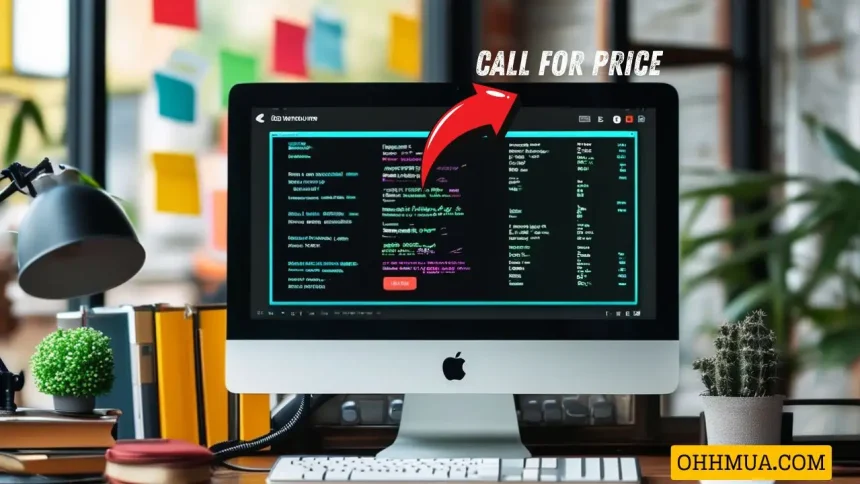
If you want to change the price of 0 or leave the price field empty to display “Call for price” in WooCommerce, you can refer to the code below.

Code to Change 0 Price or Empty Price to “Call for Price” in WooCommerce

You can add the following code to the functions.php file of your child theme:

add_filter('woocommerce_get_price_html', 'custom_empty_price_message', 10, 2);
function custom_empty_price_message($price, $product) {
    if ($product->get_price() === '' || $product->get_price() == 0) {
        $price = '<span class="webantam-woocommerce-price-contact">Call for Price</span>';
    }
    return $price;
}

Code Explanation:

  • if ($product->get_price() === ” || $product->get_price() == 0): This conditional statement checks whether the product price is either an empty string (meaning you didn’t enter a price) or if the price is 0.
  • $price = ‘Call for Price’; If the above condition is met, this line replaces the product price with the HTML string <span class="webantam-woocommerce-price-contact">Call for Price</span>. This will display the text “Call for Price” on the WooCommerce product page.

Conclusion:

With just a simple code snippet, you can easily solve the issue of changing a 0 price or empty price to display “Call for Price” in WooCommerce. If you encounter any issues during the process, feel free to reach out!


480520387 657957633334779 6814038772835954285 n
Admin (Nghia Vo)

Hi, I’m Nghia Vo: a computer hardware graduate, passionate PC hardware blogger, and entrepreneur with extensive hands-on experience building and upgrading computers for gaming, productivity, and business operations.
As the founder of Vonebuy.com, a verified ecommerce store under Vietnam’s Ministry of Industry and Trade, I combine my technical knowledge with real-world business applications to help users make confident decisions.

I specialize in no-nonsense guides on RAM overclocking, motherboard compatibility, SSD upgrades, and honest product reviews sharing everything I’ve tested and implemented for my customers and readers.
You Might Also Like

Headless vs Traditional WooCommerce: Which Architecture Wins?

Can AI Agents Safely Access Your WordPress Site?

Is WordPress Dead or Still Powering the Web in 2026?

WordPress 6.9.2 Disaster: Why You Should Never Auto-Update Immediately

Headless WordPress Explained: Is It Right for Your Site?

Share This Article
Facebook Twitter Email Print
By Admin (Nghia Vo)
Follow:
Hi, I’m Nghia Vo: a computer hardware graduate, passionate PC hardware blogger, and entrepreneur with extensive hands-on experience building and upgrading computers for gaming, productivity, and business operations. As the founder of Vonebuy.com, a verified ecommerce store under Vietnam's Ministry of Industry and Trade, I combine my technical knowledge with real-world business applications to help users make confident decisions. I specialize in no-nonsense guides on RAM overclocking, motherboard compatibility, SSD upgrades, and honest product reviews sharing everything I’ve tested and implemented for my customers and readers.

Leave a comment Leave a comment

Leave a Reply Cancel reply

Your email address will not be published. Required fields are marked *

Trending

wordpress speed 2026
Solutions & Troubleshooting

WordPress Speed in 2026: The Only Hosting Checklist You Need

March 7, 2026
admin wordpress dashboard
Themes & Plugins

Introduction to the WordPress Dashboard: Features, Tools, and Navigation

April 25, 2025
Headless WordPress Explained
Solutions & Troubleshooting

Headless WordPress Explained: Is It Right for Your Site?

March 10, 2026
Create a Simple Incrementing Number Effect with HTML and JavaScript 2
Solutions & Troubleshooting

Create a Simple Incrementing Number Effect with HTML and JavaScript

September 17, 2024
Cannot Fetch Sitemap in Google Search Console
Solutions & Troubleshooting

Cannot Fetch Sitemap in Google Search Console

May 27, 2025
How to Pick the Ideal Blogging Platform for Your Needs
Solutions & Troubleshooting

How to Pick the Ideal Blogging Platform for Your Needs

April 1, 2025
Previous Next

You Might Also Like

WordPress 7.0 Finally Fixes 20 Years of Painful Collaboration Problems
Solutions & Troubleshooting

WordPress 7.0 Finally Fixes 20 Years of Painful Collaboration Problems

Admin (Nghia Vo) Admin (Nghia Vo) March 9, 2026
HETZNER HOSTING
Solutions & Troubleshooting

Why Hetzner Might Not Be the Right Choice for Beginners

Admin (Nghia Vo) Admin (Nghia Vo) March 7, 2026
What Happens When Web Hosting Companies Get Acquired
Solutions & Troubleshooting

What Happens When Web Hosting Companies Get Acquired

Admin (Nghia Vo) Admin (Nghia Vo) March 6, 2026
wordpress shortcode 1
Solutions & Troubleshooting

WordPress Shortcodes: Complete Guide to Dynamic Content

Admin (Nghia Vo) Admin (Nghia Vo) March 4, 2026
How to Make Google Understand and Value Your Content
Solutions & Troubleshooting

SEO in the Age of AI: How to Make Google Understand and Value Your Content

Admin (Nghia Vo) Admin (Nghia Vo) June 5, 2025
Discovered – Currently Not Indexed in Google Search Console
Solutions & Troubleshooting

Discovered – Currently Not Indexed in Google Search Console: What It Means & How to Fix It

Admin (Nghia Vo) Admin (Nghia Vo) May 25, 2025
Previous Next
newsletter featured

Always Stay Up to Date

Subscribe to our newsletter to get our newest articles instantly!

Follow US on Social Media

Facebook Youtube Steam Twitch Unity

Copyright © 2024 ohhmua. All rights reserved.

OhhMua

Information

  • About
  • Terms & Conditions
  • Privacy Policy
  • Editorial Standards
Welcome Back!

Sign in to your account

Lost your password?